
Installation on phone
Learn how to install our website and web application on tablets and smartphones with iOS or Android
How it works
1
Website
Open our website in Safari
First, navigate to our website in Safari. If no popup appears to install our website, follow the next steps.

2
Share icon
Tap the share icon
Tap the share icon (a square with an up arrow) in the bottom center. This opens the sharing menu options.

3
Home screen
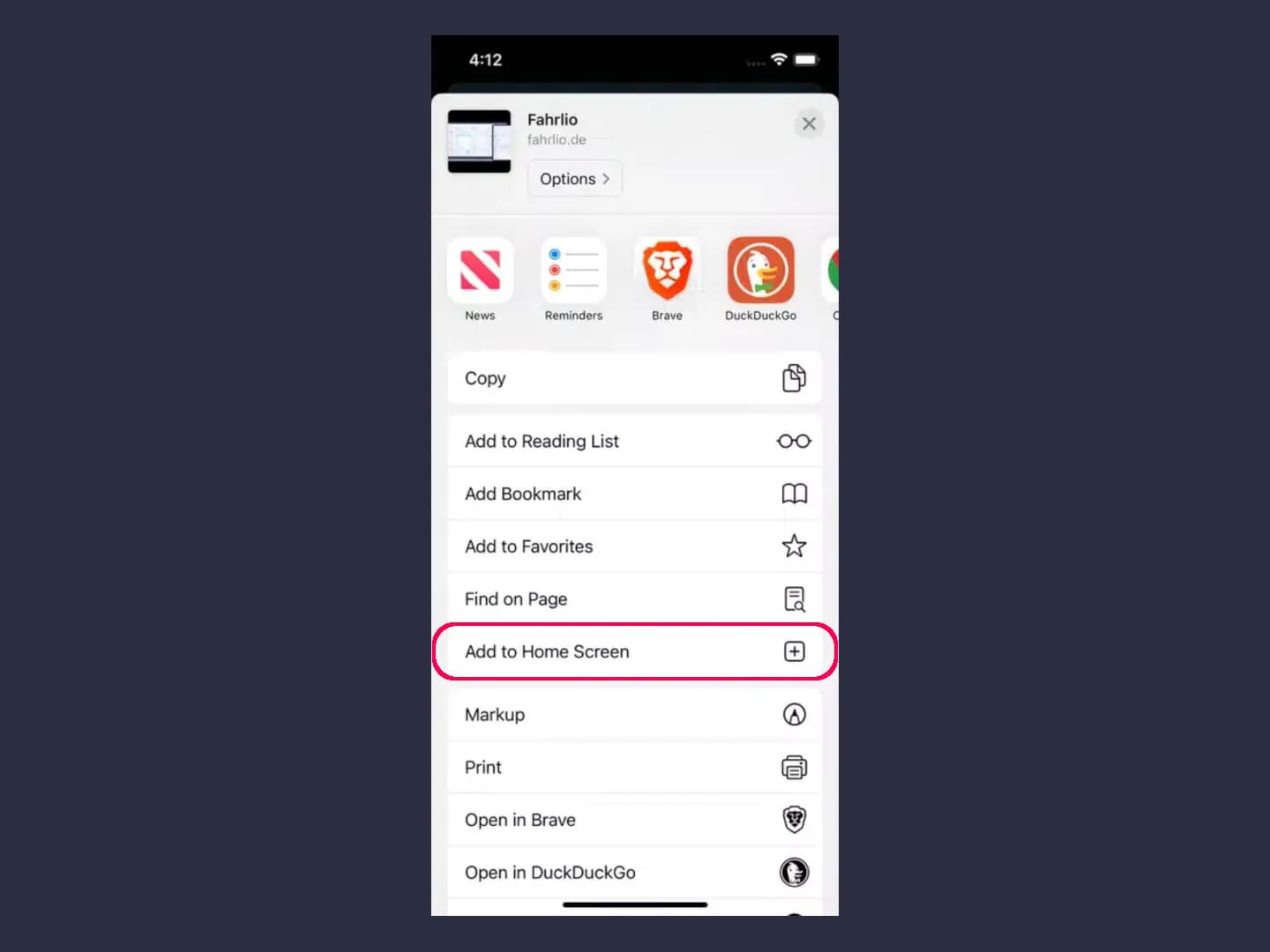
Select “Add to Home Screen”
Select the "Add to Home Screen" option from the menu. This adds the web app to the list of available apps.
4
Name
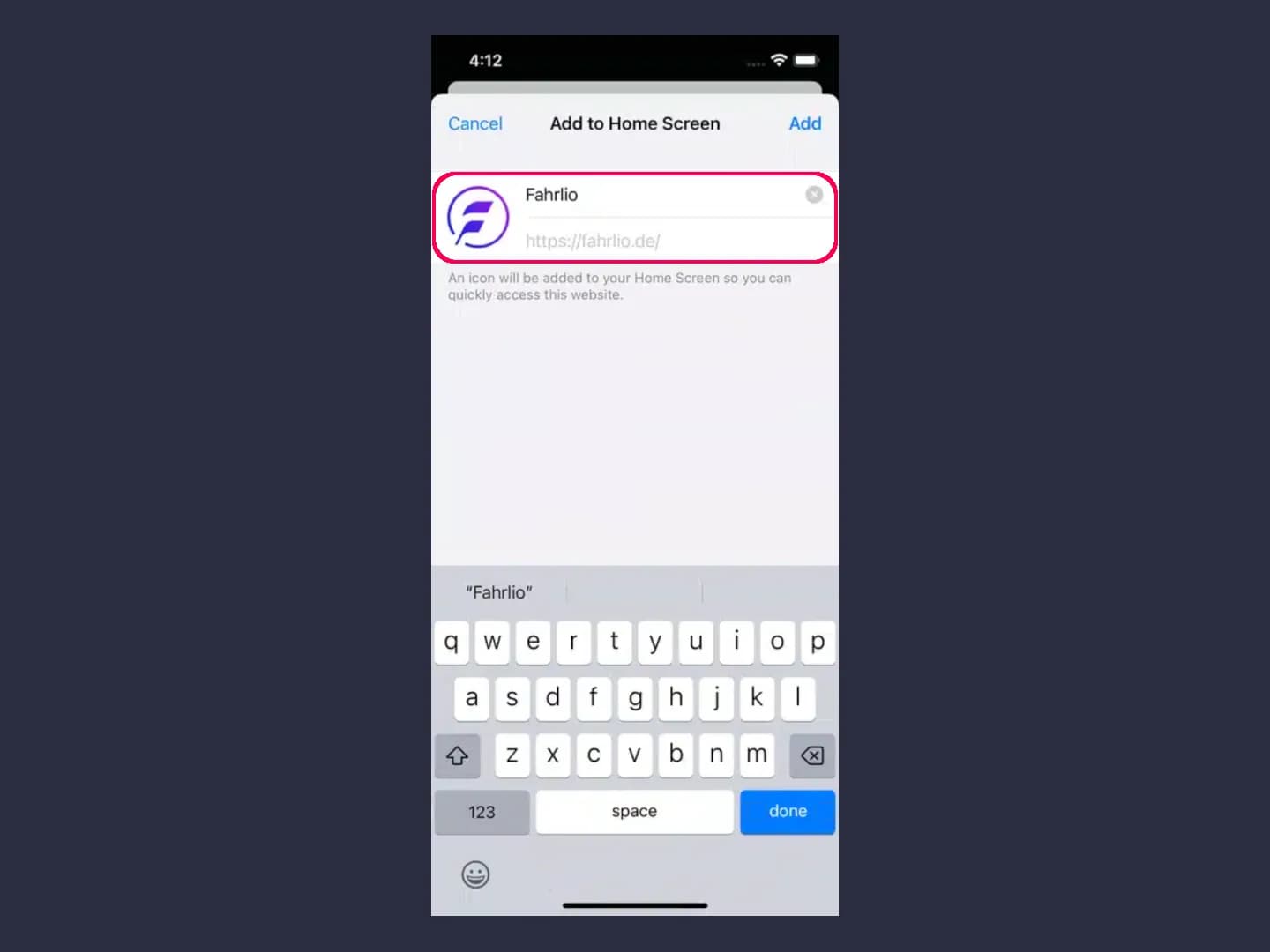
Set the name and confirm it
Give the app a name if necessary and confirm the process by tapping "Add." The website will now appear like an app on your home screen.